
Lorem Ipsum

Generate placeholder text from the launcher and paste it into the app you were just using.
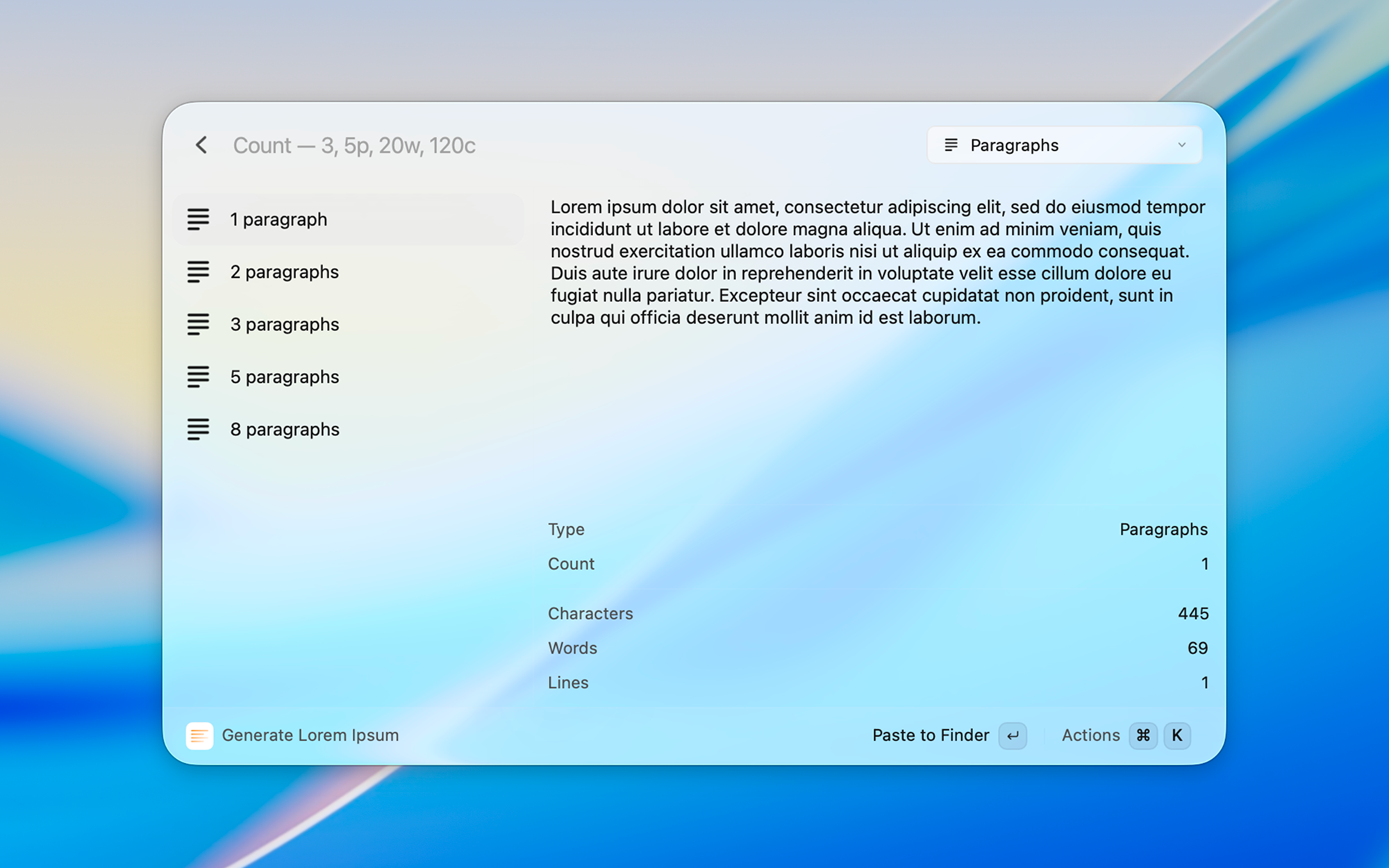
Lorem Ipsum is a Vicinae extension for Linux and macOS. Preview paragraphs, sentences, words, lists, or HTML, or generate them instantly from a no-view command.
Screenshots
Features
- Preview before you paste, with character, word, and line counts
- Instant no-view commands for paragraphs, sentences, words, lists, and HTML
- Type a count in the search bar (
3,5p,20w,8l,120c) - In preview, Enter pastes into the frontmost app; copy and regenerate use Vicinae's generic action keybinds
- No-view commands follow the Default Action preference (paste, copy, or both)
- Classic Lorem ipsum dolor sit amet… opening, with a preference to turn it off
- List style (dashes, numbered, or HTML) and HTML wrap (
pordiv)
Getting started
- Run Generate Lorem Ipsum, pick a preset, and press Enter to paste.
- Or run Generate Paragraphs, Sentences, Words, List, or HTML from root search for an instant paste.
- Type a number in the preview search bar. Suffixes switch type:
pparagraphs,ssentences,wwords,ttitles,llist,hHTML,ccharacters.
Commands
- Generate Lorem Ipsum – Preview presets, then paste or copy
- Generate Paragraphs – Optional count, then paste immediately
- Generate Sentences – Same, for sentences
- Generate Words – Same, for words
- Generate List – List (defaults to 5 items)
- Generate HTML – HTML paragraphs (defaults to 1)
Preferences
- Default Action — what no-view commands do: paste into the frontmost app (default), copy, or both
- Classic Opening — start with Lorem ipsum dolor sit amet…
- List Style — markdown dashes, numbered list, or an HTML
<ul> - HTML Wrap — wrap each HTML paragraph in
<p>(default) or<div> - Default Count — per no-view command, used when you omit the count argument
Installation
Install it from the Vicinae store: open Vicinae, search for the store, then install Lorem Ipsum.
Or from source:
git clone https://github.com/tiagem/loremipsum-vicinae.git
cd loremipsum-vicinae
npm install
npm run build
Use npm run dev while Vicinae is running if you are working on the extension.
See the Vicinae extension docs for more detail.
Contributing
Open an issue or a pull request.